If you have heard about Roblox but never played it, this guide is for you. In 2026, Roblox is bigger than before. Many new players from India are joining every day. But when you open Roblox for the first time, you feel lost. There are so many games inside Roblox. One of the popular games is Broken Blade.
People also search for Broken Blade Roblox codes to get free rewards. This guide will help you from zero. You will learn how to download Roblox for free, how to make your first account, how to play Broken Blade, and how to use codes.
What is Roblox Really?
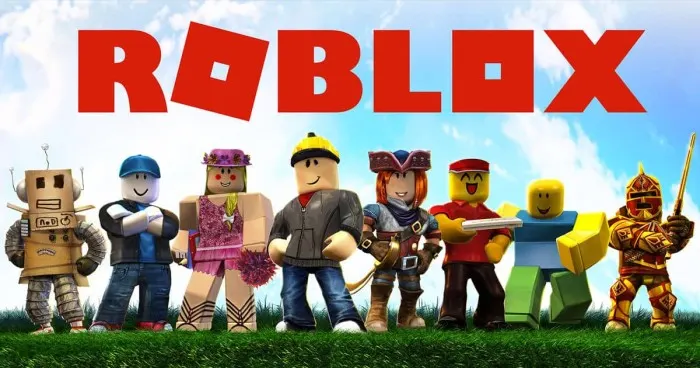
Many people think Roblox is one game. That is wrong. Roblox is a platform. Think of it like a big building. Inside that building there are thousands of small rooms. Each room is a different game made by different people. You can play a racing game, then a fighting game, then a horror game. All inside Roblox. You do not pay for each game. Most games are free to play. In 2026, Roblox has changed its look a little bit. The buttons are in new places. But the heart of Roblox is the same. You make a character. You join a game. You play with friends or with strangers from around the world.
For a beginner, the hardest part is not the gameplay. The hardest part is understanding where to click. This guide will show you step by step.
Roblox Beginner Guide 2026 Free Download and Install
Let us start from the very beginning. You need to get Roblox on your device. Roblox works on phone, laptop, computer, and tablet. It also works on iPad. The steps are almost same for all.
Step 1 – Go to the Right Place
Open your browser. Type the official Roblox website. Do not go to any other site. Many fake sites say "free Robux" or "Roblox hack". Those are traps. They will put virus in your computer or steal your password. Only use the real Roblox website.
Step 2 – Make Your Account
On the top right corner, you will see a button that says Sign Up. Click it. Now you will see a form. It will ask for your birthday. Put your real birthday. It helps Roblox keep you safe. Then it will ask for a username. Pick any name you like. But remember, you cannot change it easily later. So pick a name you will like for a long time. Then make a password. Write this password in a notebook. Do not save it in your browser if you share your computer with others.
Step 3 – Download Roblox Player
After making the account, the website will ask you to download the Roblox Player. Click the green button that says Play. It will download a small file. Open that file. It will install Roblox on your computer. If you are on phone, it will take you to Google Play Store or Apple App Store. Download the Roblox app from there. The app is free. You do not pay any money to download.
Step 4 – Login and Start
Open the Roblox app or the player on your computer. Put your username and password. Click Login. Now you are inside. You will see a big screen with many game icons. This is your home page. For a beginner, this page looks very crowded. Do not worry. In the next part, we will understand this page.
Understanding the Roblox Home Page in 2026
The home page in 2026 is different from previous years. Earlier the buttons were on the left side. Now some buttons have moved. But the main things are still there.
On the top left, you see three lines. That is the menu. Click it. You will see Home, Games, Avatar, and other options. Home takes you back to the main page. Games shows you popular games. Avatar is where you change your look.
On the top right, you see your profile picture. Click it. You can see your account settings, logout button, and your friend list.
In the middle of the screen, you see many rectangles. Each rectangle is a different game. The number below each rectangle tells you how many people are playing that game right now. If you see a game with fifty thousand players, that game is very popular.
For a beginner, do not just click any game. Start with a game that is simple. But since you want to play Broken Blade, we will go there directly.
How to Find and Play Broken Blade in Roblox?
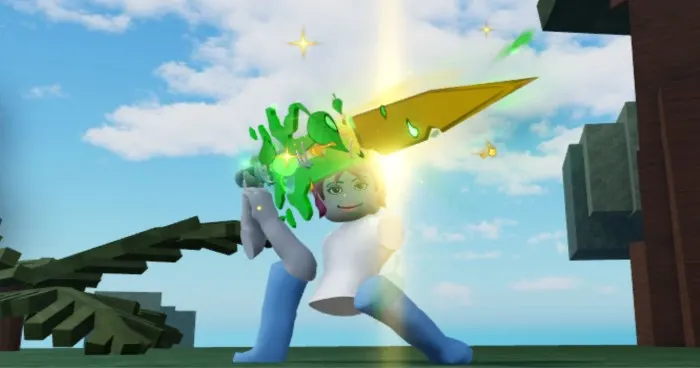
Broken Blade is a role playing game inside Roblox. In this game, you become a fighter. You have a blade. You fight against enemies and other players. The game has magic, swords, and different classes. It is a bit like an anime fighting game.
Step 1 – Search for Broken Blade
On the top of your Roblox home page, you see a search bar. It looks like a white box with a magnifying glass. Click inside it. Type "Broken Blade" and press enter. Now you will see a list of games. Look for the one made by a group called "Broken Blade Studios". Do not click on fake copies. Some people make fake games with similar names to steal your password. Check the number of likes. The real Broken Blade has millions of visits.
Step 2 – Start the Game
Click on the Broken Blade icon. It will take you to the game page. On this page, you see a green button that says Play. Click it. Roblox will load the game. The first time you play any game, it takes a little longer to load. Be patient. After loading, you will be inside the game world.
Step 3 – Create Your Character in Broken Blade
When you first enter Broken Blade, the game will ask you to pick a class. A class is like your fighting style. There are many classes. For a beginner, pick the Knight class. Knight has good health and good damage. It is the easiest to learn. Later you can change your class but it takes time. So pick carefully.
After picking your class, you will appear in a small village. This is the starting area. Walk around by using W A S D keys on computer. On phone, you use the joystick on the left side of the screen. Look around by moving your finger or your mouse.
Your first job is to kill small enemies. Look for goblins or wolves near the village gate. Hit them with your blade. Press left click on mouse to attack. On phone, there is an attack button on the right side. Collect the coins and experience that drop from dead enemies.
Broken Blade Roblox Codes and How to Use Them
Now we talk about codes. Codes are secret words that the game makers share on their social media pages. When you enter a code, you get free rewards. These rewards can be coins, special blades, or even free clothes. In 2026, codes are still very popular in Broken Blade.
What Are Active Broken Blade Roblox Codes in 2026?
I cannot give you a fixed list here because codes change very fast. A code that works today may stop working tomorrow. But I will tell you where to find fresh codes. And I will tell you the format so you understand how codes look.
Usually a Broken Blade code looks like this – "BLADE200" or "FREECOINS" or "WELCOME2026". The code is always one word. No spaces. Sometimes it has capital letters. You must type it exactly as shown.
Where to Find New Broken Blade Codes?
The game makers post new codes on their Discord server. Discord is a chatting app. You can join the official Broken Blade Discord for free. Once you join, look for a channel called "codes" or "giveaways". The codes are posted there. Also follow the makers on X (the site earlier called Twitter). Sometimes they post codes there too.
Do not trust random websites that say "100 working codes". Most of those sites are fake. They show you old codes that do not work. They only want your clicks. The only real place is the official Discord or the official X page.
How to Redeem Broken Blade Codes?
Redeem means to enter the code and get your reward. Follow these steps.
Step 1 – Open Broken Blade game.
Step 2 – Look at the left side of your screen. You will see a button that says "Codes". It looks like a small ticket icon.
Step 3 – Click that button. A small box will open.
Step 4 – Type the code exactly. If the code has big letters, type big letters. If it has small letters, type small letters.
Step 5 – Click the green button that says "Redeem".
Step 6 – If the code works, you will see a popup telling you what reward you got. If the code does not work, it will say "Code expired" or "Invalid code".
Remember that codes expire after some days or weeks. So when you see a new code, use it immediately. Do not save it for later.
Roblox Beginner Guide 2026 Free Rewards Without Codes
Not everything needs a code. You can get many things for free just by playing. In Roblox and in Broken Blade, there are daily rewards. Every day you log in, the game gives you some coins. If you log in for seven days in a row, you get a bigger reward.
In Broken Blade specifically, you can also get free items by completing tasks. Open your quest list. It is usually on the right side of the screen. The quest list tells you what to do. For example – "Kill ten goblins". When you finish that, you get free coins and experience. Some quests give you free weapons.
Also on your birthday month, Roblox gives you a free birthday hat. Go to the Avatar section and look for free items. Filter by "Free" and you will see many shirts, pants, and hats that cost zero Robux. Robux is the money of Roblox. As a beginner, do not buy Robux right away. First learn the game. Use free items only.
Common Problems and How to Fix Them
When you are new, you will face problems. That is normal. Here are the most common problems and their easy fixes.
Problem 1 – Game is very slow or lags
Your device may be old or your internet may be slow. Go to Roblox settings. Click the Roblox icon on top left. Then click Settings. Lower the graphics level. Put it to 1 or 2. The game will not look beautiful but it will run smoothly. Also close other tabs in your browser. If you are on phone, close other apps.
Problem 2 – Codes are not working
First check if you typed correctly. One small mistake breaks the code. Second, the code may have expired. Go to Discord to see if anyone else is facing the same. Third, you may have already used that code. Each code works only one time per account.
Problem 3 – I cannot talk in chat
Roblox has safety settings. If your account says you are under 13 years old, Roblox limits your chat. You cannot talk to strangers. This is for your safety. To change this, you need parent permission. Or you can play with friends only.
Problem 4 – The game kicks me out
This happens when your internet disconnects for even one second. Check your Wi-Fi. Also make sure your device has free storage space. If storage is full, Roblox closes by itself.
Problem 5 – I forgot my password
Go to the Roblox login page. Click "Forgot password". Roblox will send a reset link to your email. Check your email and click the link. Make a new password. Next time, write your password in a notebook.
Safety Tips for Indian Beginners
Many Indian parents worry about online games. They are right to worry. But Roblox can be safe if you follow some rules.
Do not tell anyone your real name. Do not tell anyone which city you live in. Do not tell anyone your school name. In chat, use a fake name. Even if a player becomes friendly, remember they are a stranger. Do not click on any link that someone sends you in chat. That link can steal your account.
Also do not believe anyone who says "I will give you free Robux". No one gives free Robux. That is always a lie. They want your password. Keep your password only with yourself. Not even your best friend should know your Roblox password.
If someone says bad words to you or makes you feel scared, block them. To block a player, click on their name in chat. Then click the block button. They will not be able to talk to you again. You can also report them to Roblox. Roblox takes reports seriously.
How to Get Better at Broken Blade as a Beginner?
You will not become strong in one day. That is fine. The fun of Broken Blade is growing slowly. Here is a simple plan for your first week.
Day 1 – Learn to move and attack. Kill goblins. Reach level five.
Day 2 – Collect coins. Buy a better blade from the village shop.
Day 3 – Try a dungeon. Dungeon is a small area with many enemies. Ask a senior player to take you.
Day 4 – Join a guild. A guild is a group of players. In a guild, you get help and you give help.
Day 5 – Save your coins. Do not waste on looks. Buy health potions first.
Day 6 – Try player versus player mode. Fight one other player. Do not feel bad if you lose.
Day 7 – Use any new code you found on Discord. Get your free rewards.
After one week, you will not feel like a beginner anymore. You will know the map. You will know which enemies to fight and which to run from.
Final Words and Checklist
You have reached the end of this guide. Now you know how to download Roblox for free. You know how to make an account. You know how to find and play Broken Blade. You know where to get working codes. You know how to stay safe.
Before you close this page, do one thing. Open Roblox right now. Make your account if you have not made it yet. Then search for Broken Blade. Play for ten minutes. Just move around. Kill one enemy. That small step is the start of your journey.
Other Articles
New Stargirl Trailer Released